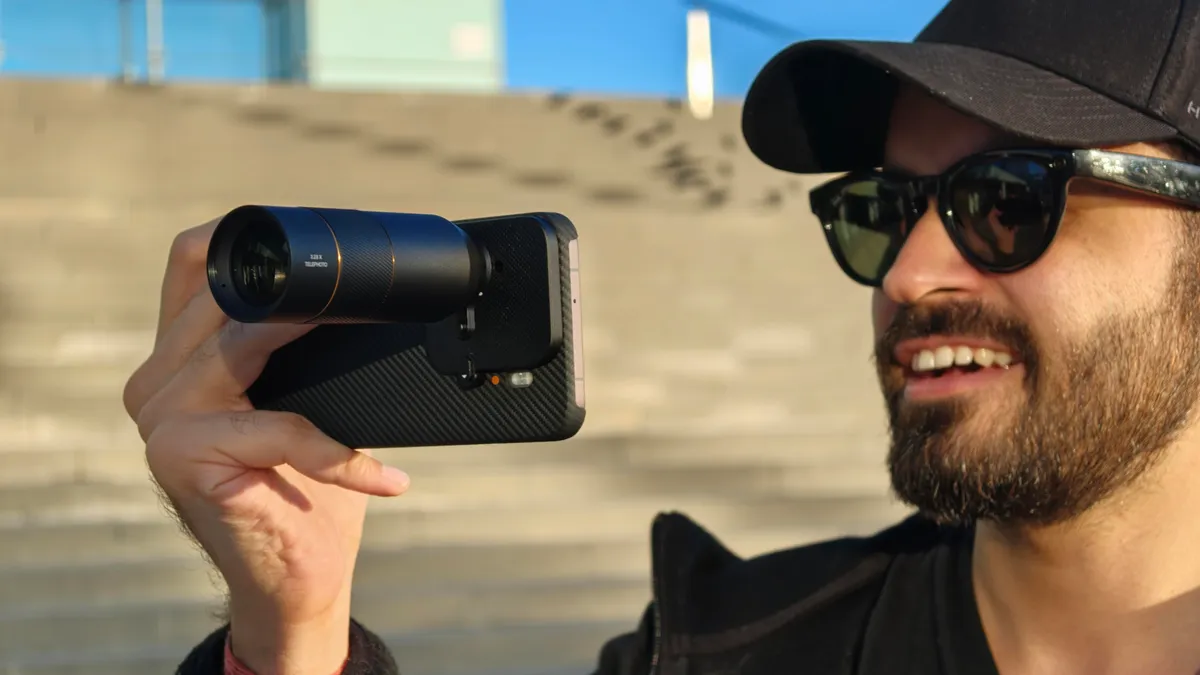
If you’ve spent hours squinting at distant mobs and mountain peaks in Minecraft, the minecraft telescope — officially called the Spyglass — changes everything about how you explore. This single craftable item rewrites your entire approach to scouting, combat, and base-building.
A Minecraft telescope adds excitement to your gameplay by helping you explore distant landscapes, mobs, and hidden structures more easily.Players love using a Minecraft telescope to enjoy clearer views while adventuring across mountains, villages, and massive creative worlds
Discover the best minecraft telescope tips and learn how to craft and use a Spyglass in Minecraft. Improve exploration, spot distant mobs, and enhance your gameplay experience.
1. What Is the Minecraft Telescope and Why Was It Added?
The minecraft telescope, known in-game as the Spyglass, was introduced in the Caves & Cliffs update (Java Edition 1.17, June 2021). It wasn’t a random feature — Mojang added it specifically to help players navigate the dramatically expanded vertical terrain that update brought. With cave systems plunging to Y-level -64 and mountain peaks touching Y-320, players needed a way to survey terrain without flying.
The minecraft telescope zooms your field of view to roughly one-tenth its normal size. That’s not a minor magnification — it’s the equivalent of pressing your face against a scope. Every detail snaps into clarity. Leaf blocks become individual. Mob types become identifiable from distances that would otherwise require a full sprint across exposed terrain.
What many players miss is the cultural reference built into this item. The design draws directly from the spyglasses carried by 17th and 18th century naval officers — and Minecraft’s art team leaned into that aesthetic deliberately. Hold one up and your character physically raises it to eye level. It’s one of the few items in the game that triggers a custom held-item animation.
The minecraft telescope also introduced a new visual overlay: a circular vignette fills your screen when you use it, framing the zoomed view like an actual optical instrument. That detail alone makes it feel more like a tool than a power-up.
2. Exact Crafting Recipe for the Minecraft Telescope:
Crafting a minecraft telescope is simple, but it requires two materials that aren’t immediately obvious to new players — and one of them demands underwater exploration:
- Amethyst Shard (×1): Harvested by mining budding amethyst clusters in amethyst geodes, found underground between Y-level -58 and 30
- Copper Ingot (×2): Smelted from raw copper, one of the most abundant ores underground, found from Y-level 0 to 96 (peaks around Y-48)
- Crafting layout: Place one copper ingot in the top-center slot, one amethyst shard in the middle-center slot, and one copper ingot in the bottom-center slot — a vertical column
- Result: One minecraft telescope with no durability (it never breaks)
- No enchantments: Unlike most tools, the minecraft telescope cannot be enchanted — what you craft is exactly what you get
The copper requirement is why experienced players stock copper early. New players often smelt copper into blocks for building and then find themselves running back to mine more when they finally decide to craft the minecraft telescope. Don’t make that mistake — keep at least 10 raw copper in your chest from your first mining session.
Amethyst geodes are harder to source. They generate inside stone, deepslate, and occasionally inside ocean floors. Listen for the subtle chiming sound amethyst makes — that audio cue travels through walls and is your best geode-finder before you have a proper branch mine set up.
3. How to Actually Use the Minecraft Telescope Effectively:
Most tutorials stop at “hold right-click to zoom.” That’s barely scratching the surface. The minecraft telescope has layers of tactical application that become obvious only after you’ve played with it for a few weeks.
There’s a practical gap between knowing a tool exists and knowing how to extract its full value. The minecraft telescope is one of Minecraft’s most situationally powerful items when deployed correctly, but it demands you understand both its mechanics and its constraints. Start here before you ever raise it to your virtual eye.
1: Zooming In on Mobs Before Engaging
Using the minecraft telescope to identify mob types before closing distance is, bar none, its highest-value combat application. At 80–100 blocks, most players can’t distinguish a witch from a pillager, or a stray from a skeleton. The minecraft telescope eliminates that ambiguity instantly. Identify, plan, then engage — don’t engage and then realize you’re fighting a vindicator with an axe.
2: Reading Terrain From a Distance
Mountains in Minecraft aren’t always what they appear at ground level. Using the minecraft telescope from elevation — a hilltop, your base roof, or a temporary dirt pillar — lets you trace ravine edges, locate lava lakes, and spot cave entrances without the risk of falling into them mid-exploration. This is how experienced players pre-map their next 500 blocks of travel.
3: Locating Structures Before Traveling
Structures like ocean monuments, desert temples, and woodland mansions are enormous — visible from a distance if you know what shapes to look for. Use the minecraft telescope while standing at a high point and sweep the horizon slowly. The zoom is tight enough that you’ll catch the stone brick towers of a stronghold exit or the dark oak roof of a mansion well before your minimap (if you’re using mods) would flag it.
4: Tracking Player Movements in Multiplayer
On survival servers, the minecraft telescope is a reconnaissance tool. Spot other players building, farming, or traveling long before they see you. Smart PvP players keep one in their hotbar permanently for this reason. The information asymmetry it creates is significant.
4. The Minecraft Telescope’s Visual Effect and Screen Overlay:
When you activate the minecraft telescope, the screen doesn’t just zoom — it transforms. Understanding exactly what changes visually helps you use it without disorientation:
- Circular vignette: The view narrows to a central circle, mimicking a real optical eyepiece, with black surrounding it
- FOV compression: Field of view drops from the default 70° down to approximately 7°, a 10x effective zoom
- Movement blur: If you move while zooming, the view shakes noticeably — Mojang built in screen sway to simulate real handheld optics
- No night vision enhancement: The minecraft telescope does NOT brighten dark areas; darkness stays dark through the scope
- Particle visibility: Environmental particles (rain, snow, nether particles) remain visible at full opacity through the zoom
The movement shake is the feature players complain about most often. It feels excessive at first. The workaround is simple: sneak while using the minecraft telescope. Sneaking stabilizes the view dramatically, essentially giving you a tripod-mounted scope. This is absolutely the technique for long-range mob counting or reading distant text on signs.
5. Minecraft Telescope vs. Mods: What Vanilla Can’t Do:
The vanilla minecraft telescope is deliberately limited in scope — pun intended. Mojang made specific design choices to keep it from becoming overpowered. Understanding those limits helps you decide whether mods are worth adding to your world.
The gap between vanilla and modded telescope functionality is substantial. Several Fabric and Forge mods extend the minecraft telescope well beyond its base capabilities, and if you’re playing in a modded environment, you should know exactly what each option adds before choosing one.
1: Optifine’s Zoom Feature
Optifine, arguably the most-installed Minecraft client mod, includes a standalone zoom function mapped to the C key by default. This zoom works without crafting anything — no amethyst, no copper. It’s smoother, doesn’t cause screen shake, and can be customized. For players who want functional zoom without the item slot cost, Optifine is the practical answer. The minecraft telescope becomes somewhat redundant in Optifine worlds, which is a legitimate criticism of Mojang’s implementation.
2: Spyglass Improvements Mod
This dedicated mod adds several quality-of-life upgrades to the existing minecraft telescope: zoom scrolling (variable magnification), night vision integration, and removal of the screen shake. It keeps the crafting requirement and inventory item — just removes the friction. Best of both worlds if you want vanilla item balance with smoother mechanics.
3: Distant Horizons
Distant Horizons is a level-of-detail (LOD) mod that renders terrain far beyond Minecraft’s normal render distance. Paired with the minecraft telescope, it becomes genuinely extraordinary — you can zoom into mountains 2,000 blocks away and see their actual geometry, not fog. This combination fundamentally changes long-range navigation in a way the vanilla game never intended.
6. Amethyst Geodes: Sourcing the Key Ingredient:
Without amethyst shards, you can’t craft the minecraft telescope. Geodes are common enough that most players encounter them naturally, but targeted farming is faster:
- Generation depth: Geodes spawn between Y-levels -58 and 30, with highest concentration around Y-0 to Y-16
- Structure layers: Each geode has three shells — smooth basalt (outer), calcite (middle), amethyst blocks (inner)
- Budding amethyst: Only budding amethyst blocks grow clusters; breaking them destroys the growing point permanently
- Harvest timing: Clusters go through four growth stages; only fully-grown clusters (stage 4) drop shards
- Drop rate: One fully-grown cluster drops 4 shards when mined with any pickaxe, or 2 without a tool
The critical farming rule: never mine budding amethyst blocks themselves. Those purple-crossed blocks are the only source of new crystal growth. Mine the clusters they produce, leave the budding blocks intact, come back in a few Minecraft days. This is sustainable amethyst farming, and it means one geode can supply unlimited shards forever.
Fortune III on a pickaxe raises cluster drops from 4 shards to up to 16 per cluster. If you’re mass-producing minecraft telescopes for multiplayer distribution or trading, Fortune III makes that economically trivial.
| Feature | Vanilla Minecraft Telescope | Optifine Zoom | Spyglass Improvements Mod | Distant Horizons + Telescope |
| Craftable Item Required | Yes | No | Yes | Yes |
| Zoom Magnification | ~10x (fixed) | Variable (scroll) | Variable (scroll) | ~10x + LOD distance |
| Screen Shake | Yes | No | Optional | No |
| Night Vision Integration | No | No | Yes | No |
| Works in All Dimensions | Yes | Yes | Yes | Yes |
| Multiplayer Compatible | Yes | Client-only | Client-only | Client-only |
| Durability | None (infinite) | N/A | None (infinite) | None (infinite) |
| Hotbar Slot Required | Yes | No | Yes | Yes |
| Enchantable | No | N/A | No | No |
| Added in Version | Java 1.17 / Bedrock 1.17 | Pre-1.17 | Post-1.17 (mod) | Post-1.18 (mod) |
7. Nesting the Minecraft Telescope Into Your Survival Workflow:
Treating the minecraft telescope as an occasional gadget leaves most of its value on the table. The players who extract maximum benefit from it have integrated it into their daily survival routines — not as a special-occasion item but as a permanent hotbar fixture.
Effective players build their hotbar around decision-making tools, not just combat tools. The minecraft telescope sits logically between your navigation items and your combat gear. Once you wire it into your workflow instinctively, you’ll wonder how you navigated without it.
1:Hotbar Positioning Strategy
Slot 9 — the far right position — is the dead zone for most players. It’s where they dump things they rarely use. Put the minecraft telescope in slot 6 or 7, within easy scroll-reach of your sword. That positioning habit means you’ll actually use it when approaching unknown terrain instead of charging in blind.
2: Pre-Exploration Scouting Routine
Before leaving any established base to explore new biomes, climb to your highest point, use the minecraft telescope to scan each cardinal direction for 30 seconds, and mentally note: biome types, mob concentrations, structure outlines, and terrain hazards. That 2-minute investment prevents the kind of overextended exploration that ends hardcore runs.
3: Night Vision + Telescope Combination
Night vision potions and the minecraft telescope stack in a genuinely powerful way. Night vision brightens dark surfaces through the zoom, letting you spot mob spawners, cave entrances, and dungeon rooftops from surface level at night. No mod required — just a brewing stand and some golden carrots.
8. Common Mistakes Players Make With the Minecraft Telescope:
Understanding what to avoid saves you frustration and wasted game time when using the minecraft telescope across different gameplay modes:
- Mining budding amethyst: Destroys the regrowth point; only harvest clusters, never the source block
- Using it while moving fast: The screen shake makes it nearly useless at full sprint; always sneak or stop to zoom
- Forgetting it’s in inventory: Most players craft the minecraft telescope once and forget it exists; keep it in your hotbar
- Expecting it to work like binoculars in water: Underwater fog severely limits zoom range; it’s effectively useless below surface
- Not using it in the Nether: The Nether’s flat geography and long sightlines make it perfect telescope territory; many players never think to zoom there
9. Minecraft Telescope in Bedrock Edition: What’s Different:
The minecraft telescope behaves slightly differently between Java and Bedrock editions, and those differences matter if you’re playing cross-platform with friends.
Bedrock Edition is Minecraft’s most-played version globally, running on consoles, mobile, and Windows 10/11. The implementation of the minecraft telescope on Bedrock matches Java in most respects, but there are specific behavioral and visual differences worth knowing before assuming they function identically.
1: Crafting Recipe Consistency
Good news: the crafting recipe for the minecraft telescope is identical across both editions. Two copper ingots, one amethyst shard, vertical column. No platform-specific variation here — a recipe guide written for Java works perfectly on Bedrock.
2: Controller Usage on Console
On console, using the minecraft telescope is mapped to the left trigger (aim button) when you’re holding it. This is intuitive but differs from Java’s right-click muscle memory. New console players sometimes try right-clicking a controller and wonder why nothing happens. Left trigger activation is the Bedrock console standard.
3: Screen Overlay Differences
The circular vignette effect on Bedrock is visually identical to Java, but the screen shake when moving is slightly less aggressive on Bedrock. Mobile players in particular report less disorientation when moving while zoomed — possibly because touch controls already have some built-in input smoothing that reduces the jitter effect.
10. Creative and Roleplay Uses for the Minecraft Telescope:
Not every use case is pure survival optimization. The minecraft telescope has earned a legitimate place in creative building, server roleplay, and content creation communities.
Machinima creators — players who make films and animations within Minecraft — use the minecraft telescope for in-game camera work. The zoom creates a cinematic framing effect when you’re recording gameplay with screen capture software. Pan across your megabase from a hilltop while zoomed and the footage looks like a drone shot. No resource pack needed.
Roleplay servers that run naval or historical themes treat the minecraft telescope as a core prop item. Pirate ships, navy frigates, and merchant galleys all assign spyglasses to officer roles. The item’s lore fits the aesthetic perfectly — a copper-and-crystal nautical instrument aboard a wooden sailing vessel feels exactly right.
On building servers, the minecraft telescope helps architects assess symmetry and proportion from a distance. Standing 200 blocks back from your cathedral and zooming in on the tower details gives you a more accurate sense of visual weight than standing right next to it.
11. Pairing the Minecraft Telescope With Maps and Compasses:
The minecraft telescope doesn’t exist in isolation. Its value multiplies when combined with Minecraft’s other navigation tools — specifically, maps and compasses.
A filled map covering a 1:4 zoom ratio shows 256×256 blocks of terrain. That’s useful context, but maps don’t show elevation, mob density, or current structure contents. The minecraft telescope fills exactly that gap — it tells you what’s actually happening at a destination your map marks as “unexplored.” Use the map to identify that an ocean monument exists in grid square C4. Use the minecraft telescope from the nearest coast to count guardian patrols before diving in.
Compass behavior in the Nether is notoriously broken — they spin uselessly because they track the world spawn, which doesn’t apply underground. The minecraft telescope, by contrast, works perfectly in the Nether. The combination of a lodestone compass (which does function in the Nether) and a minecraft telescope gives you both directional awareness and long-range visual scouting in Minecraft’s most dangerous dimension.
FAQ’s:
Q1:Can the minecraft telescope be enchanted in vanilla Minecraft?
No — the minecraft telescope cannot receive any enchantments in vanilla; it has no durability and no enchantment table compatibility.
Q2:Does the minecraft telescope work underwater?
It technically activates but underwater fog limits visibility so severely that it offers almost no practical zoom benefit.
Q3:How many amethyst shards does one minecraft telescope require?
Exactly one amethyst shard per minecraft telescope, paired with two copper ingots in the crafting grid.
Q4:Can you use the minecraft telescope in the Nether and End dimensions?
Yes — the minecraft telescope functions identically in all three dimensions with no mechanical restrictions.
Q5:Is the minecraft telescope the same as a spyglass in Minecraft?
Yes — “spyglass” is the official in-game item name, while “minecraft telescope” is the common search term players use; they refer to the same item.
Conclusion:
The minecraft telescope rewards players who treat it as a genuine tactical instrument, not a novelty. Craft it early using one amethyst shard and two copper ingots. Sneak to stabilize your zoom. Use it before every major engagement or exploration push. That single habit — scout first, move second — consistently separates players who lose hardcore worlds from players who don’t.